Docs
Ways to deploy
Each way with a short video and a hello-world sample you can copy. All of them run in the Kingdom.
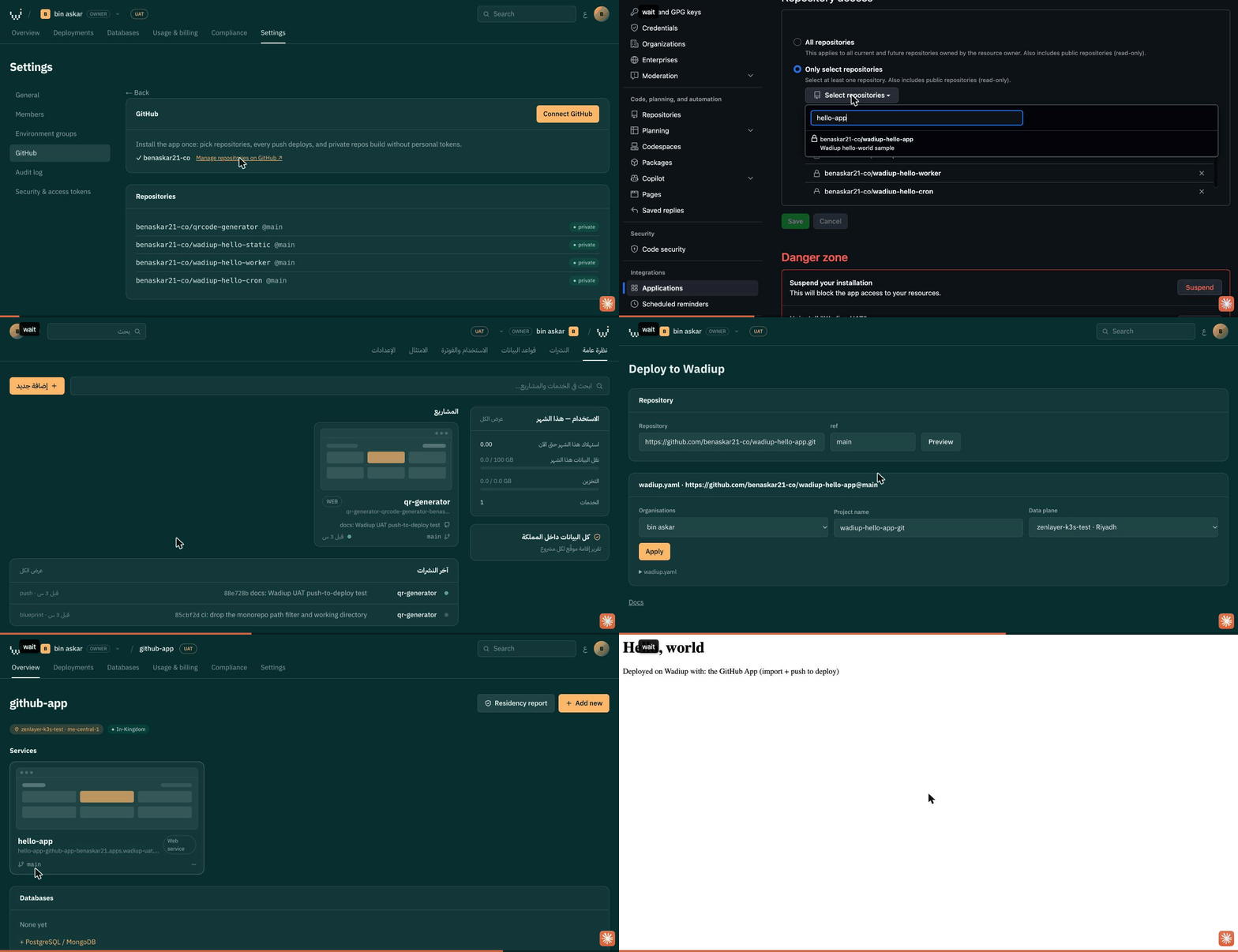
01Import a repository (GitHub App)
wadiup-hello-app ↗- Settings → GitHub → Manage repositories on GitHub; pick the repository and save.
- New → Import a repository → Deploy.
- Name the project and press Apply. The wadiup.yaml (or render.yaml) in the repo says what to create.
02Push to deploy
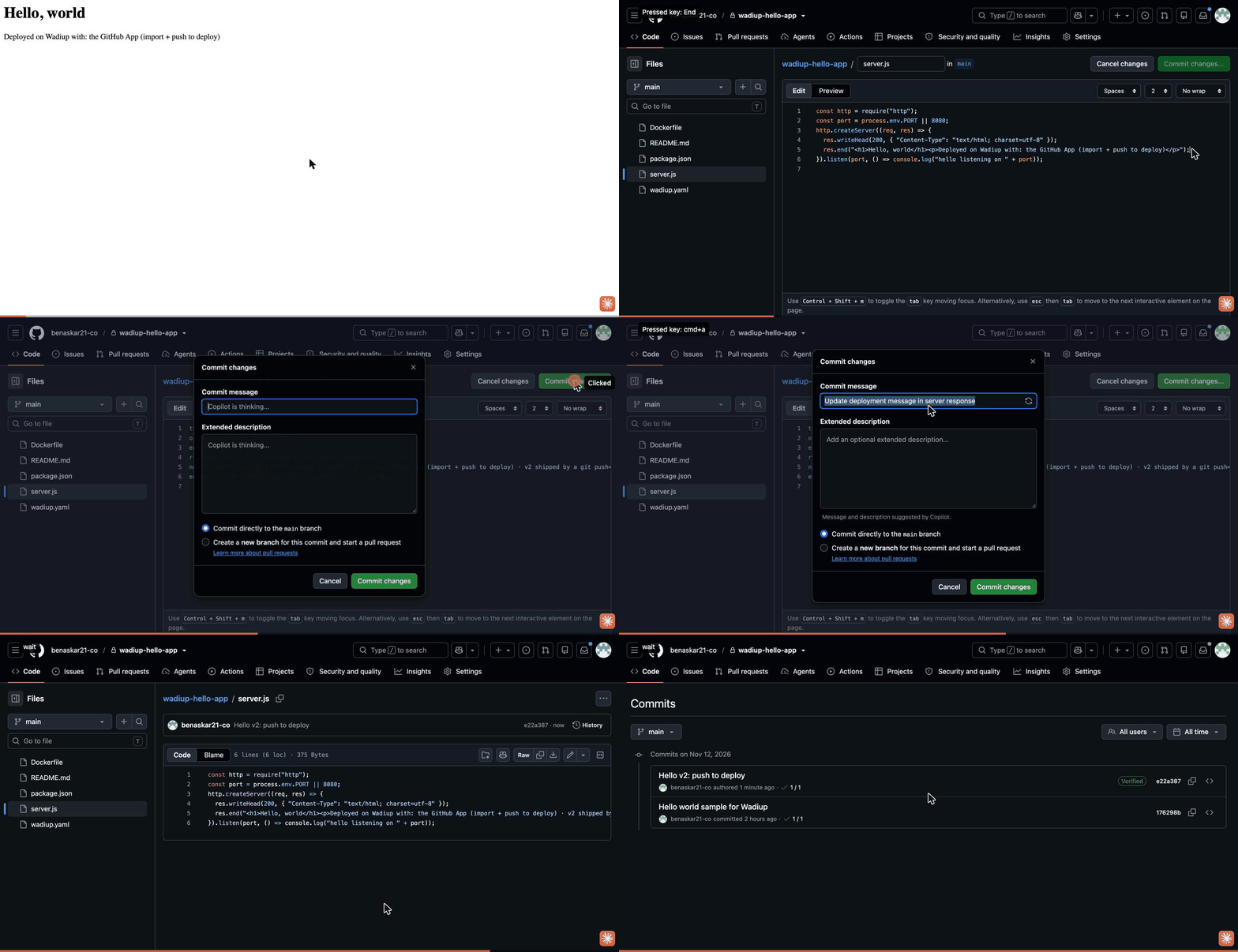
wadiup-hello-app ↗- Commit to the deployed branch (main).
- GitHub tells Wadiup; the exact commit is built and released with no clicks.
- Deployments shows the new release as Live and the old one as Superseded.
03Paste a blueprint
- Open a project and scroll to Blueprint.
- Paste a wadiup.yaml or an unchanged render.yaml, then Apply. Existing items are skipped.
services:
  - type: web
    name: hello
    image: nginxdemos/hello:plain-text
    port: 80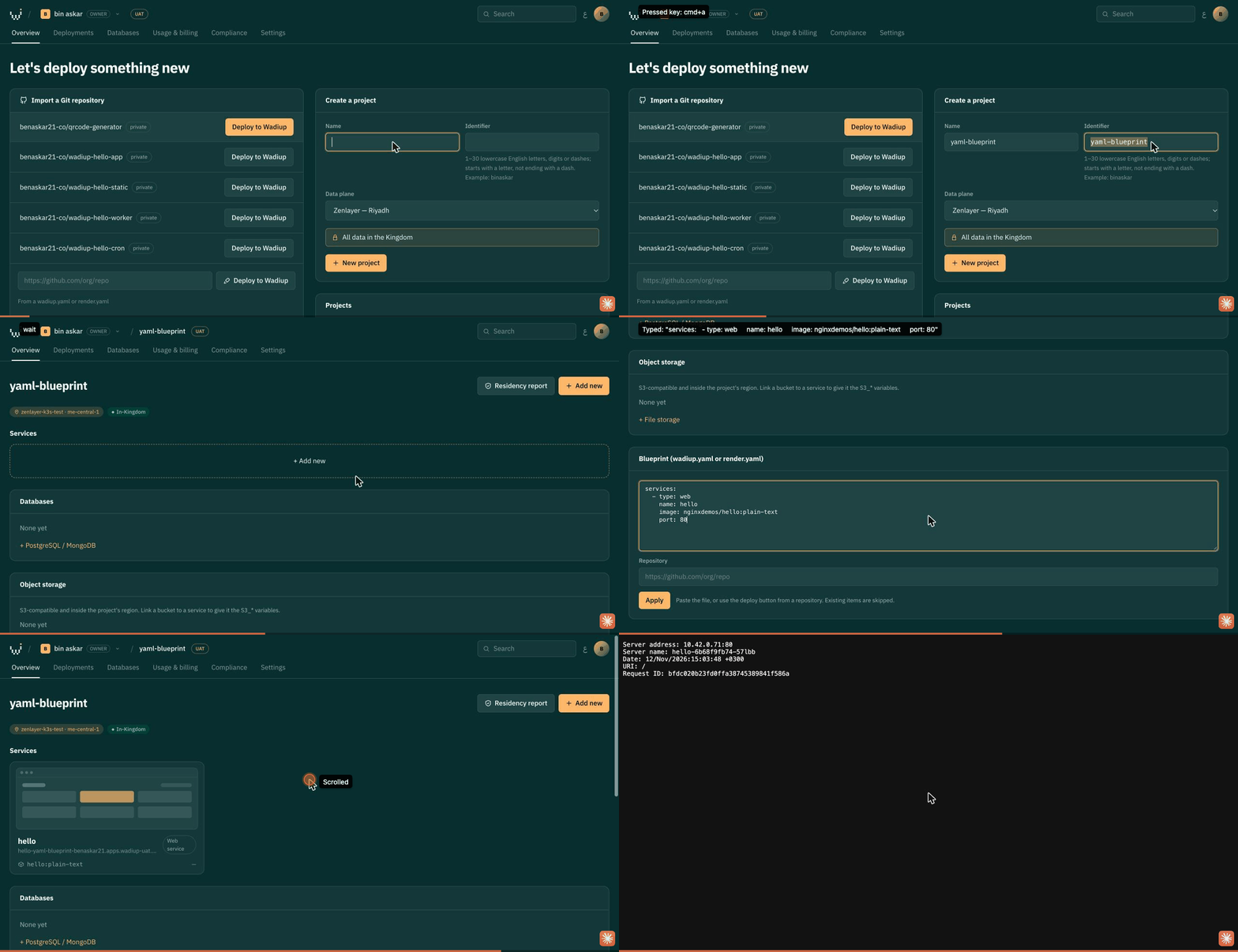
04Public Git address
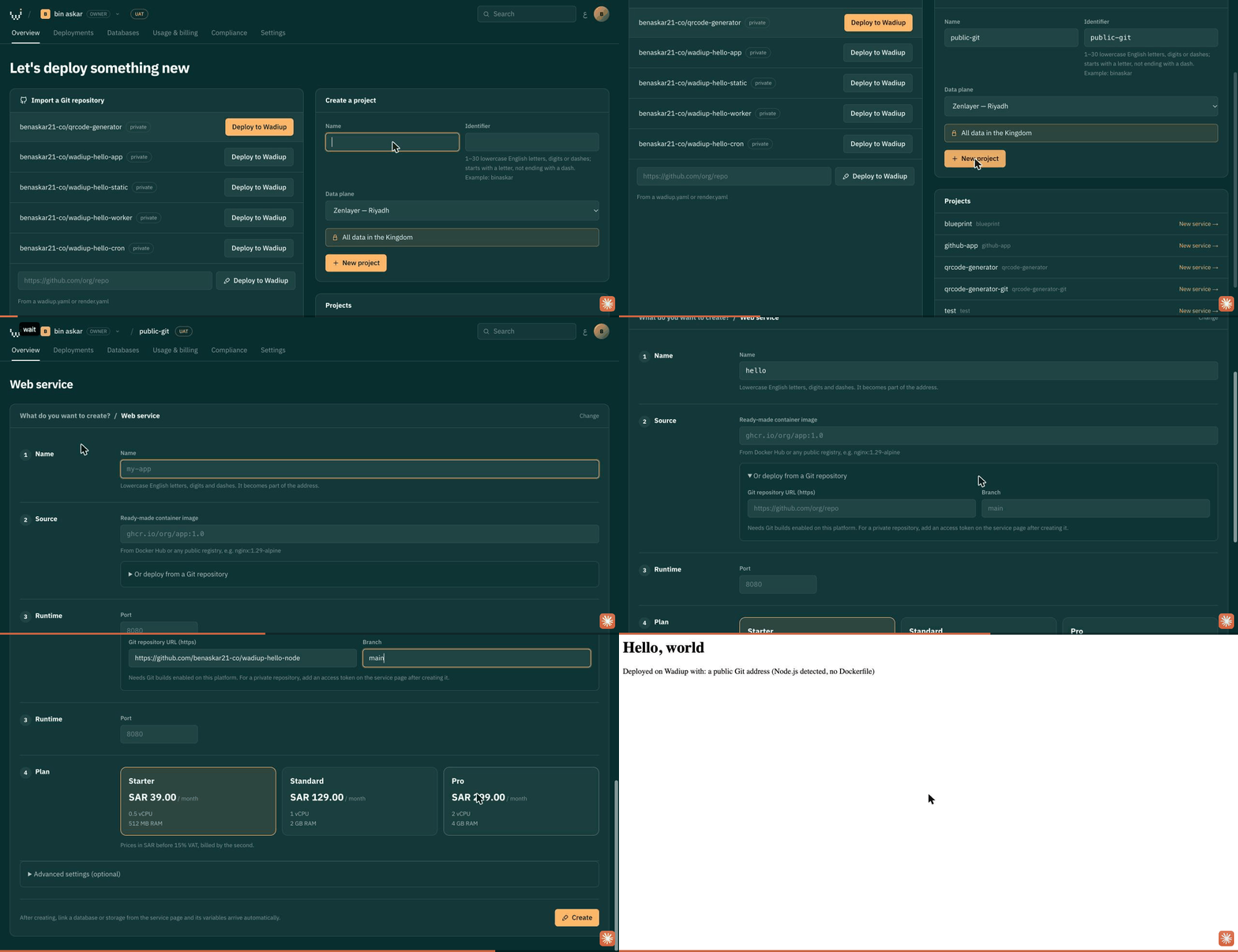
wadiup-hello-node ↗- Project → Add new → Web service.
- Open “Or build from Git” and paste the public repository address. No Dockerfile needed: Node.js is detected.
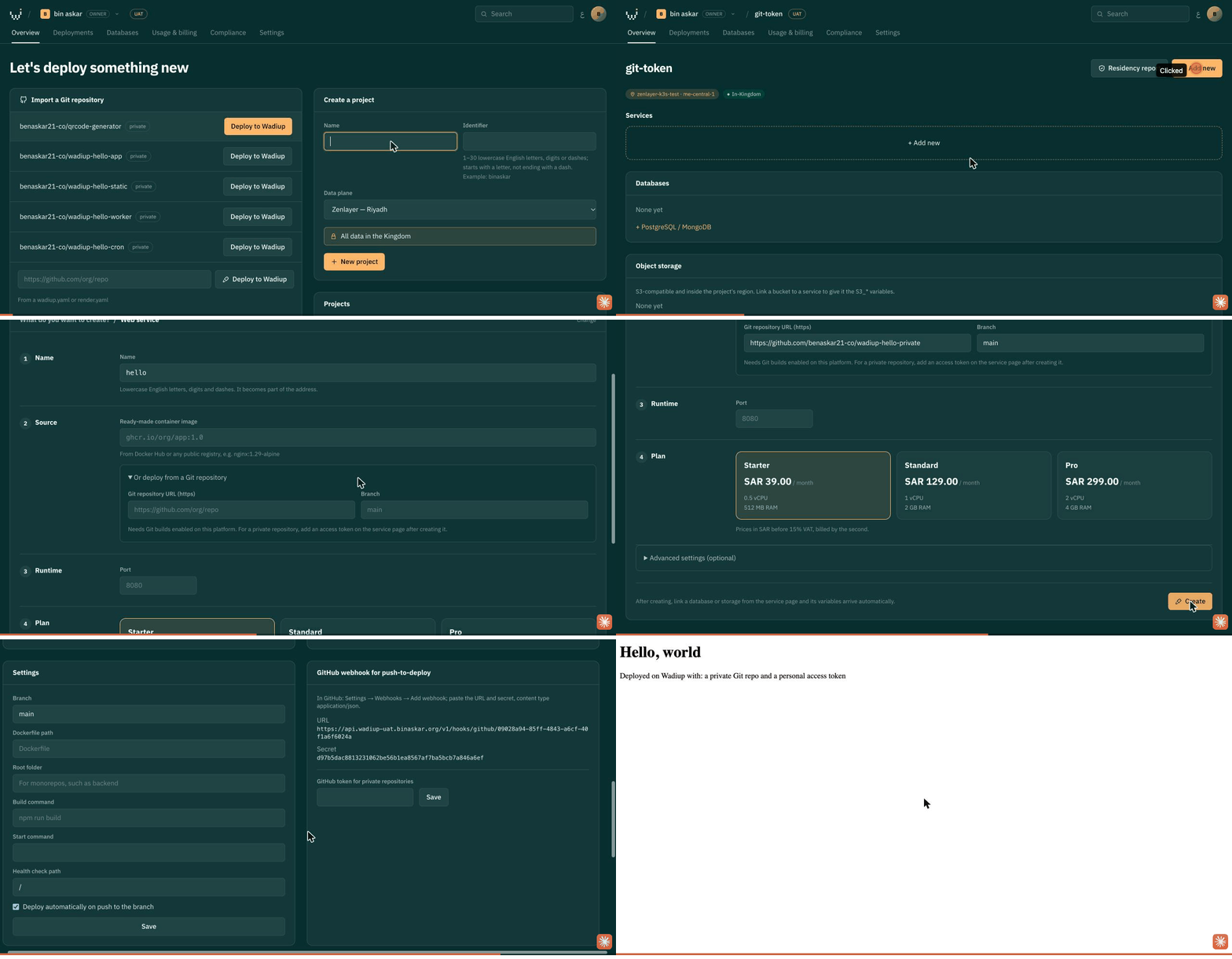
05Private Git with a personal token
wadiup-hello-private ↗- Create the service from the private repository address.
- On the service page, GitHub token for private repositories: paste a fine-grained token with Contents: read, Save, then Deploy now.
Test environments only. Production deploys require the GitHub App.
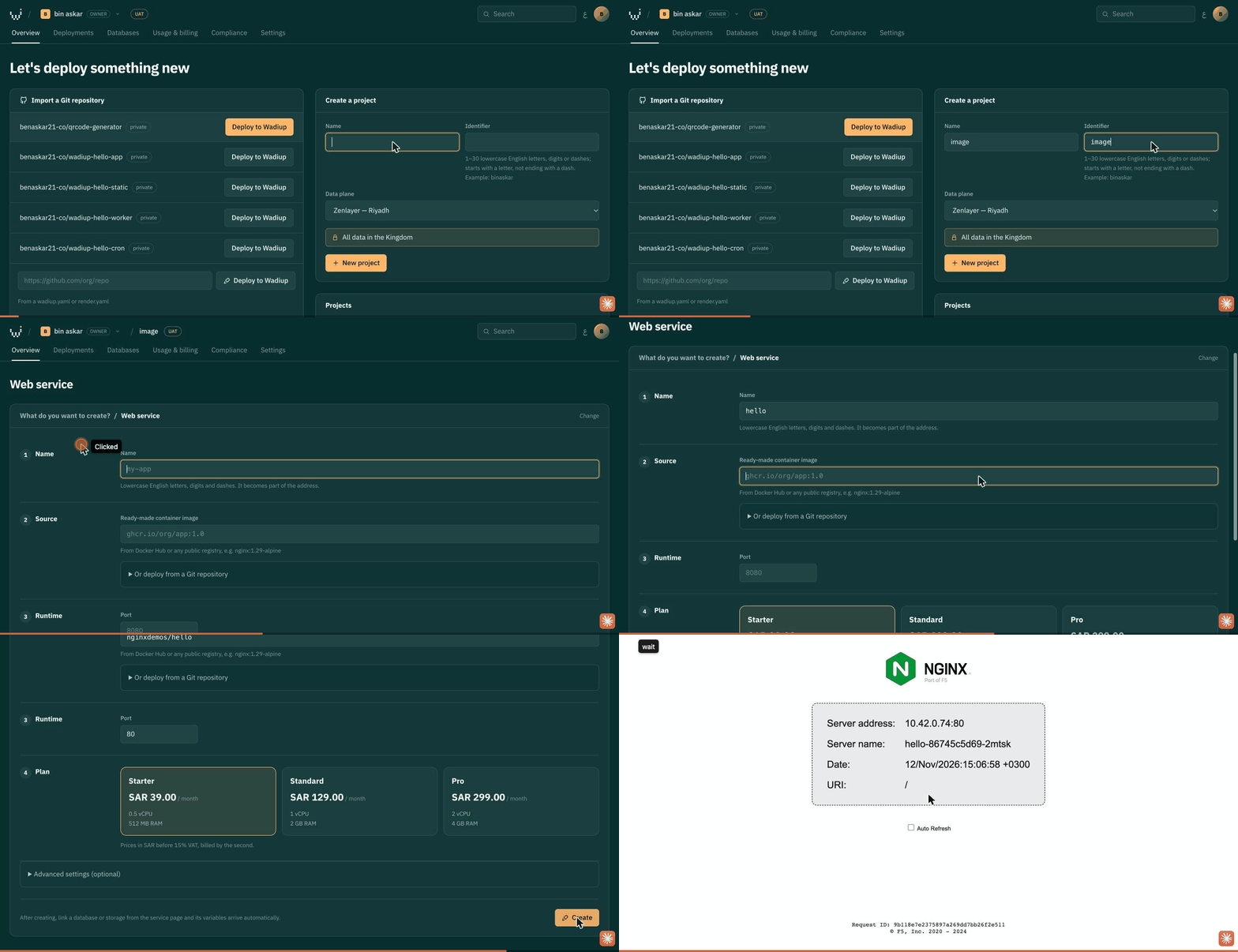
06Ready-made image
- Project → Add new → Web service.
- Enter the image (for example nginxdemos/hello) and its port, pick a plan, Create.
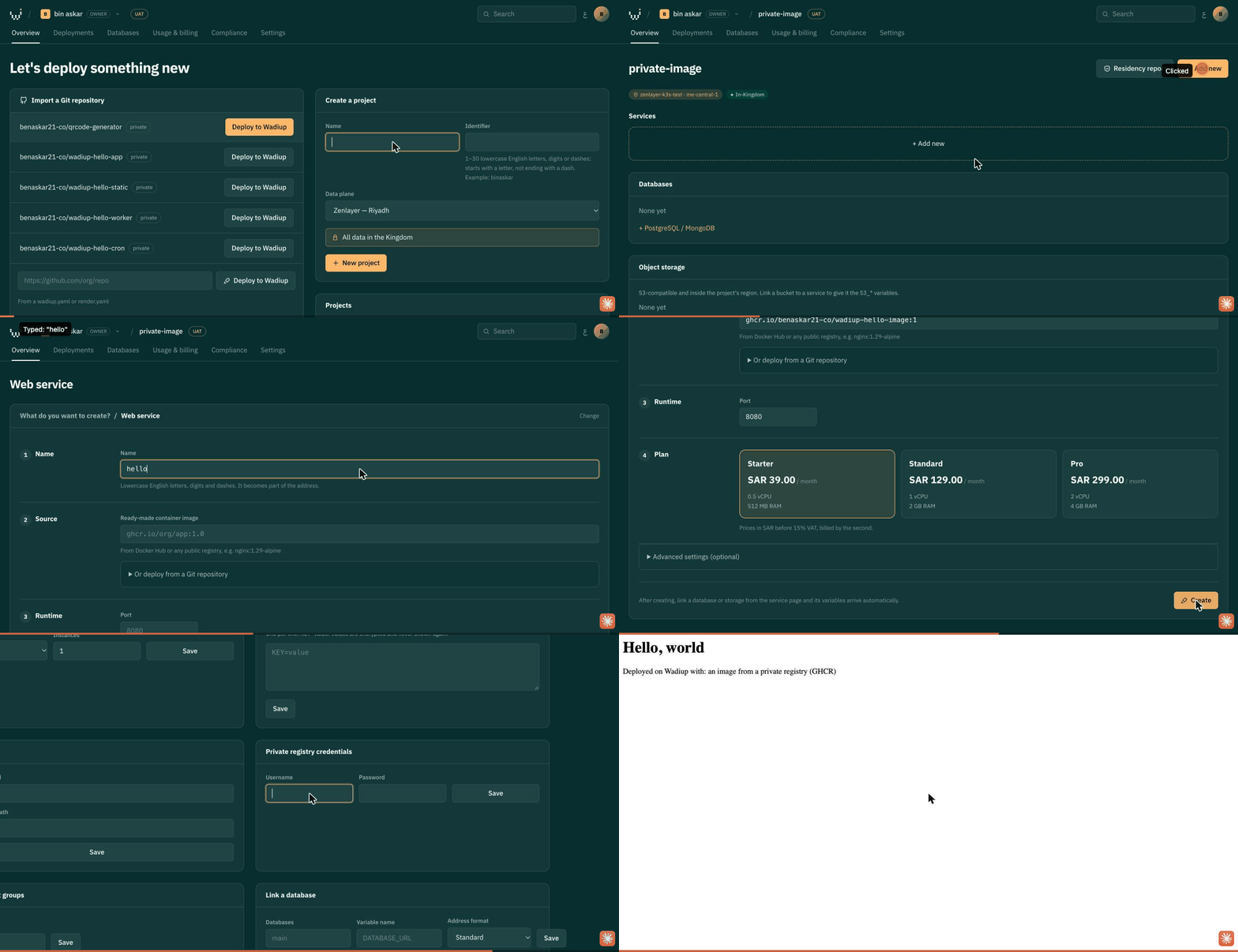
07Image from a private registry
wadiup-hello-image ↗- Create a web service from the private image (for example ghcr.io/<owner>/<image>:1) and its port.
- On the service page, Private registry credentials: user and a token with read access (GHCR: read:packages), Save, then Deploy now.
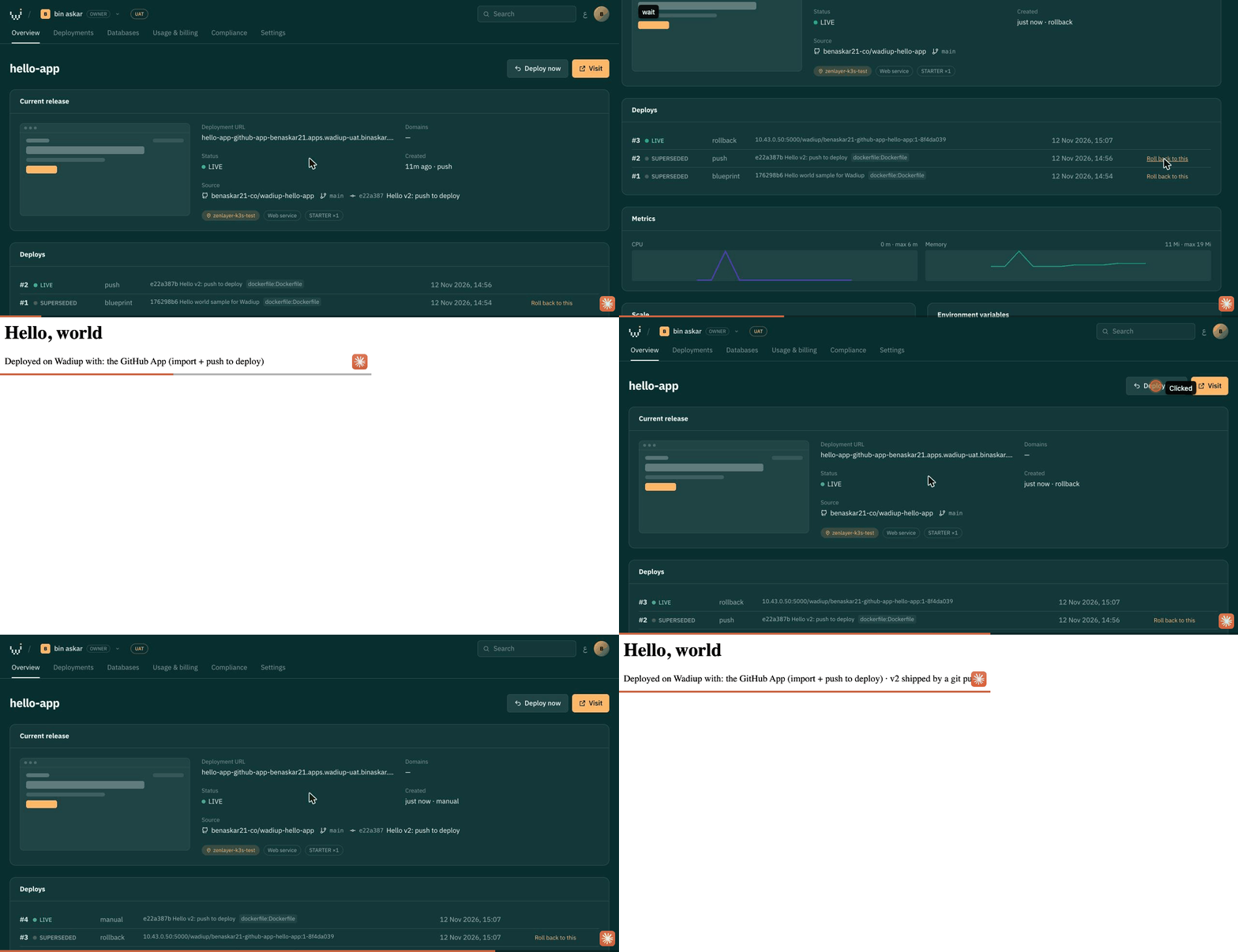
08Redeploy and roll back
wadiup-hello-app ↗- Service → Redeploy builds the same branch again.
- Deployments → Roll back on any earlier release returns to that exact image.
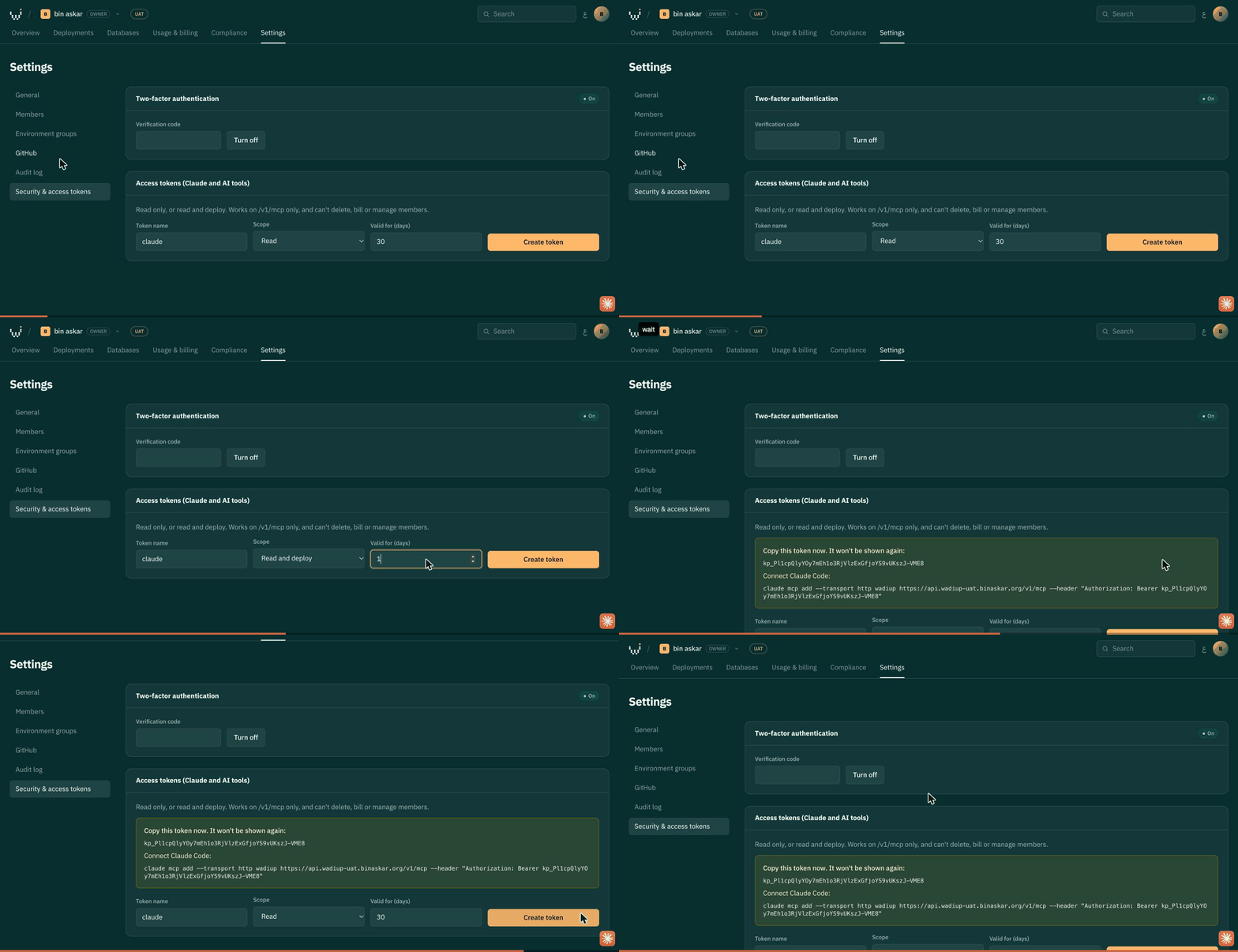
09Access token for Claude and AI tools
- Settings → Security & access tokens → Read and deploy.
- The tool can list, deploy, roll back and apply blueprints through /v1/mcp; it can't delete, bill or manage members.
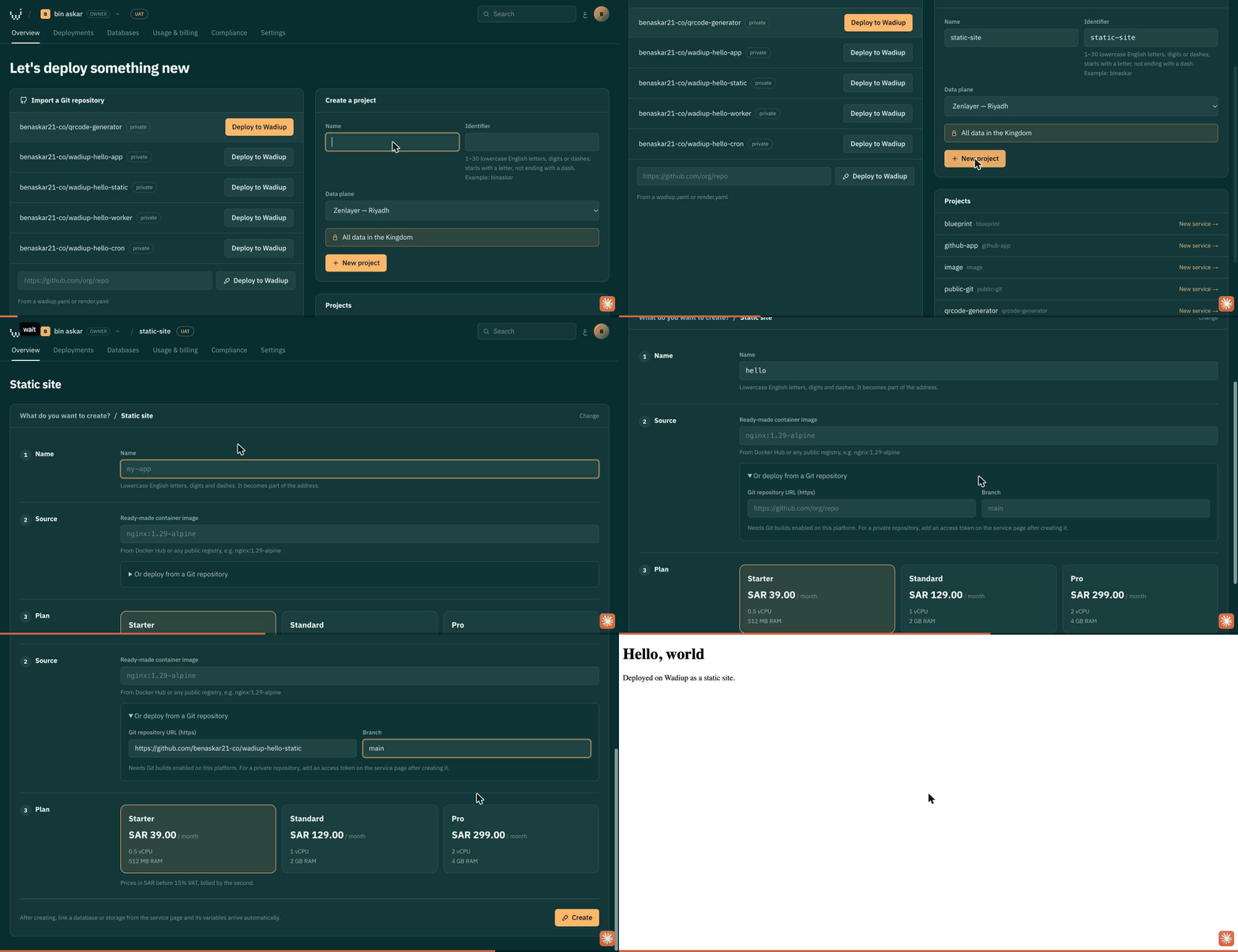
10Static site
wadiup-hello-static ↗- Project → Add new → Static site, from Git.
- An index.html is enough; nginx serves it with HTTPS.
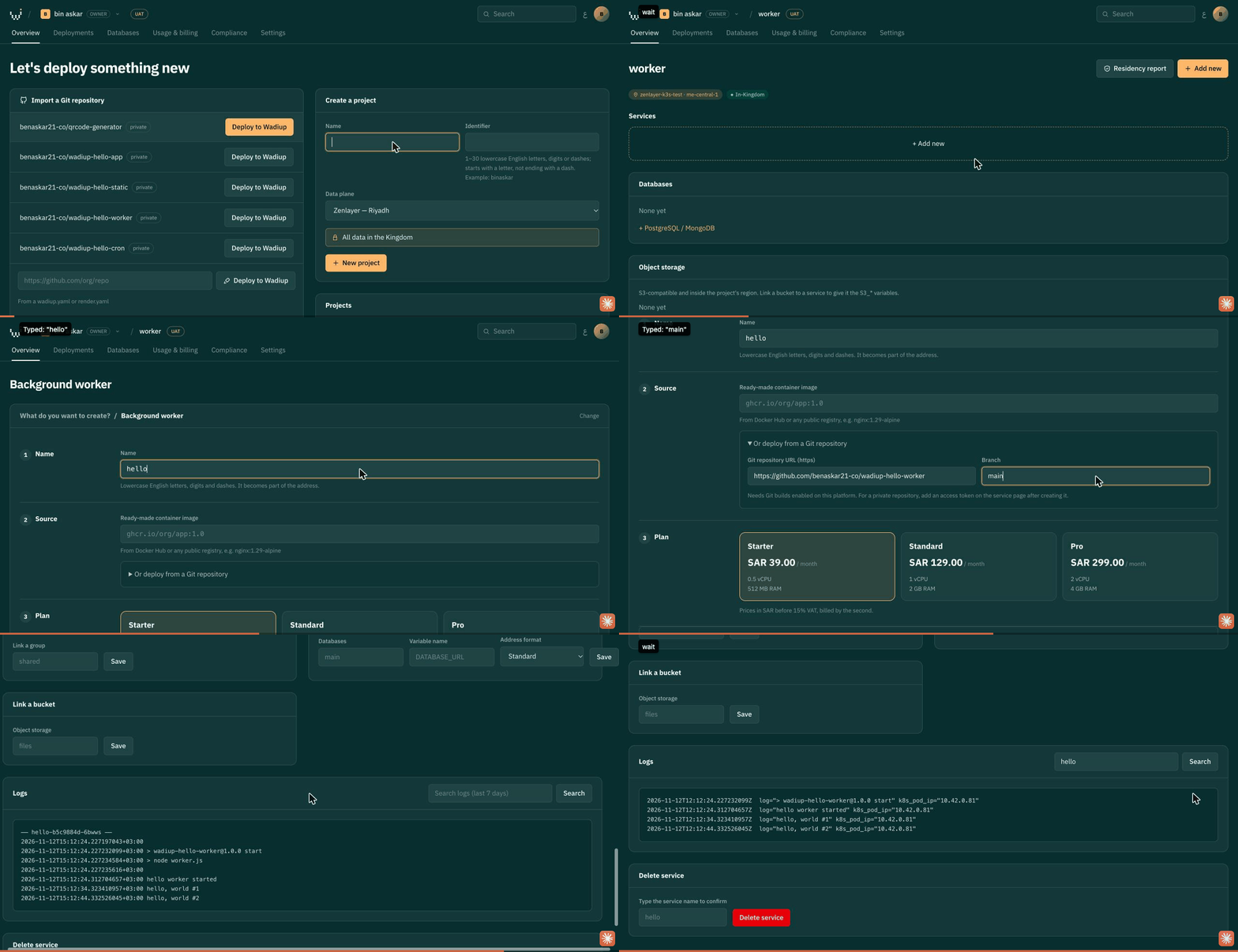
11Background worker
wadiup-hello-worker ↗- Project → Add new → Background worker, from Git.
- No port and no address: watch it under Logs.
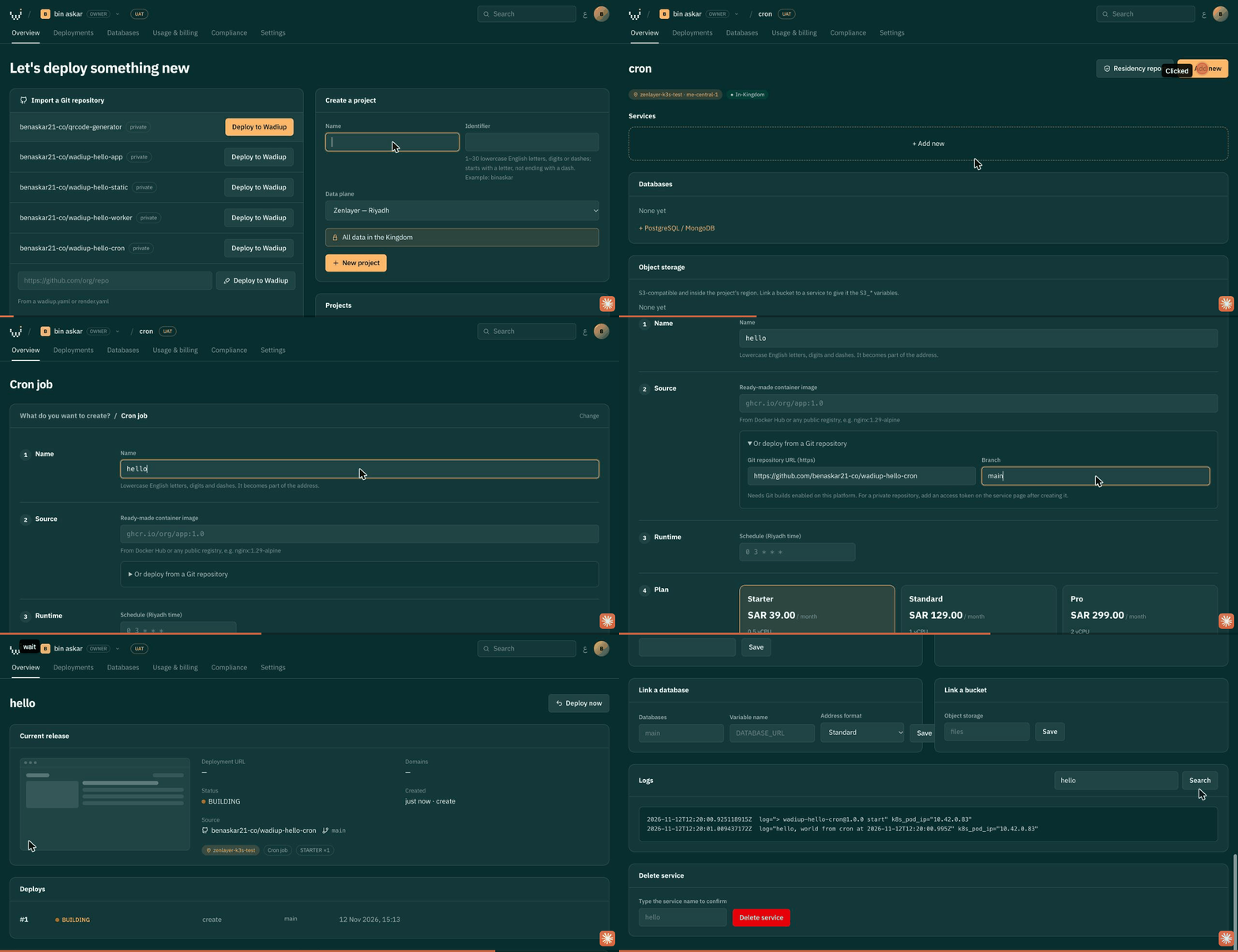
12Cron job
wadiup-hello-cron ↗- Project → Add new → Cron job, from Git.
- Give a schedule in Riyadh time (for example */5 * * * *). Each run prints to Logs and exits.
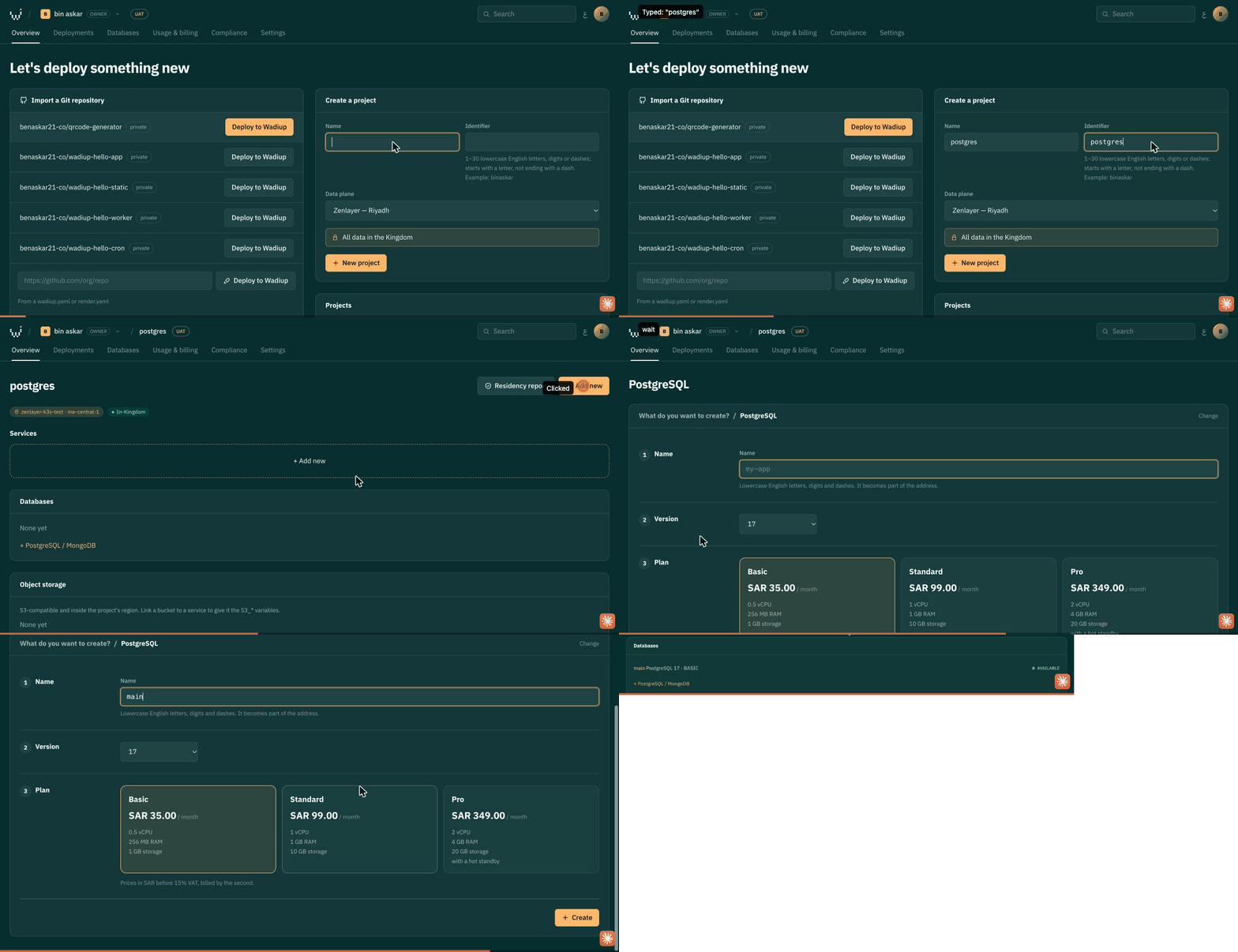
13PostgreSQL
- Project → Add new → PostgreSQL; pick version and plan.
- Link it to a service to give it DATABASE_URL. Backups run inside the Kingdom.
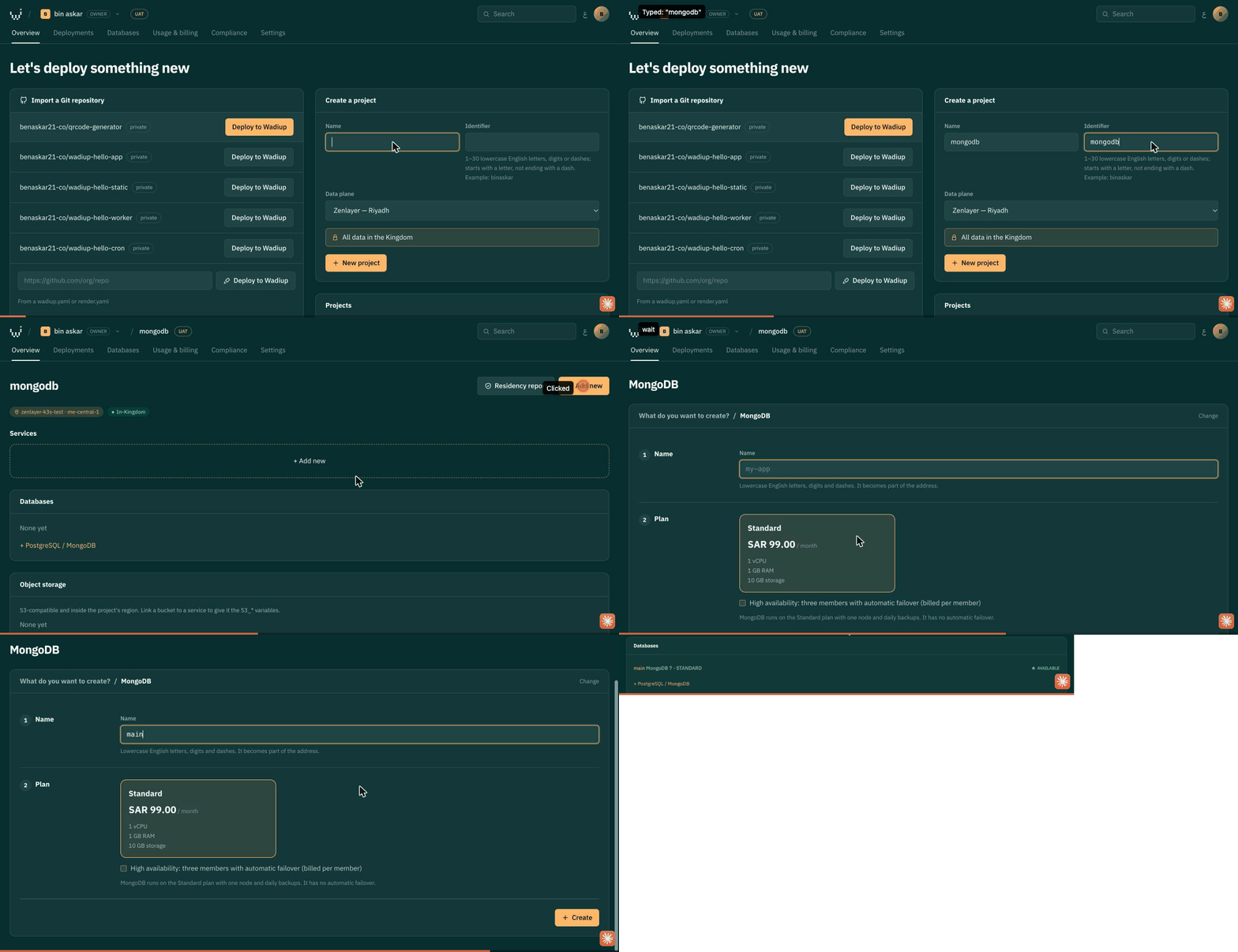
14MongoDB
- Project → Add new → MongoDB; high availability is optional.
- Link it to a service to give it its connection string.
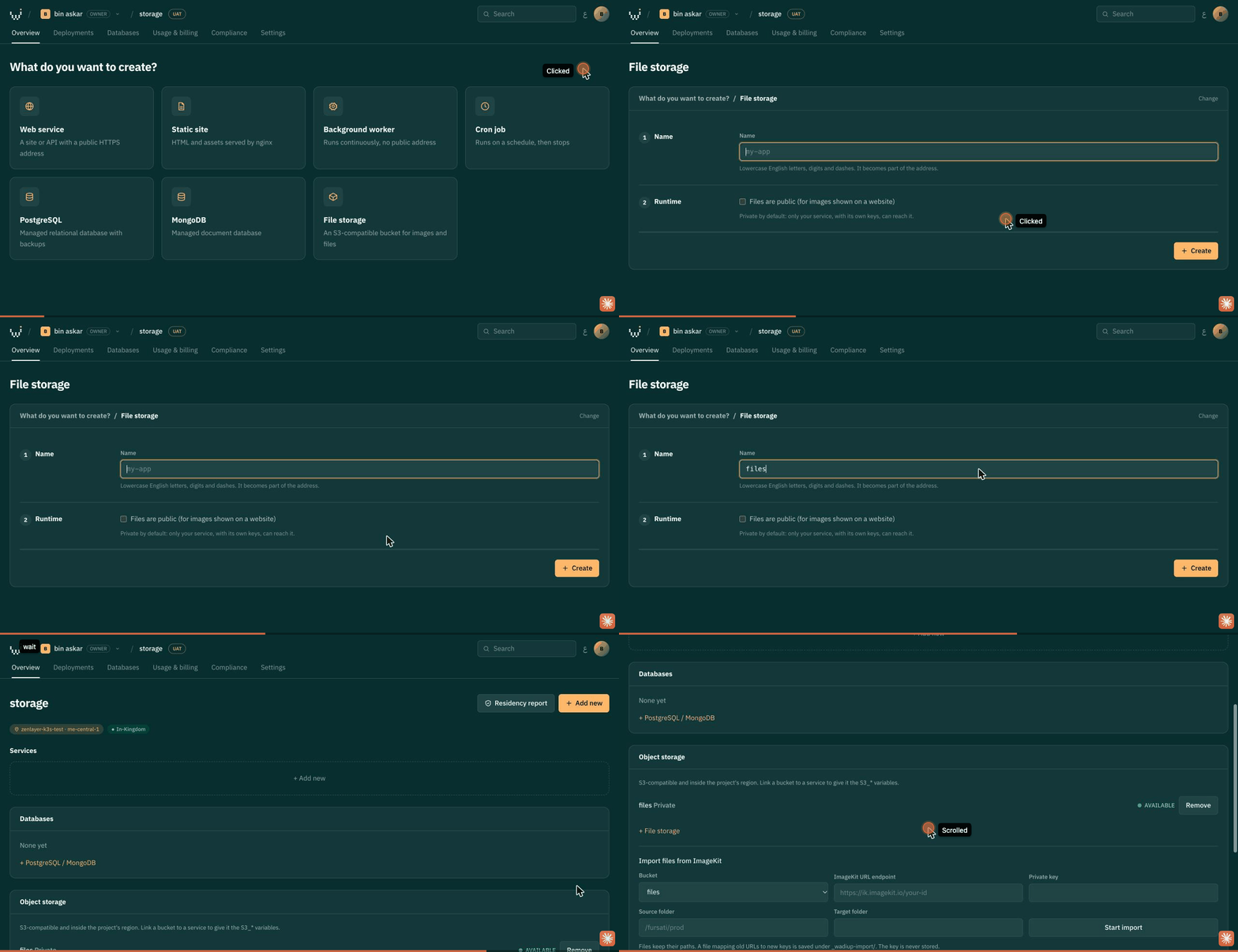
15File storage (S3-compatible)
- Project → Add new → File storage; private by default.
- Link it to a service to give it the S3_* variables.
Quickstarts by stack (no Dockerfile needed)
A Dockerfile in the repository always wins. Otherwise the platform detects the project type and builds it in-Kingdom.
| Node.js (Express, Nest) | package.json | npm ci → npm run build (if present) → npm start. PORT is set for you. | wadiup-hello-node ↗ |
| Next.js | package.json with next | Built and served with next start; choose a Web service. | |
| Static sites (Vite, React, Astro, plain HTML) | index.html or package.json | Choose Static site; output from dist, build, out or public is served by nginx with SPA fallback. | |
| Python (Django, Flask, FastAPI) | requirements.txt or pyproject.toml | pip install; the Procfile web: line is the start command, else main.py, app.py, or gunicorn for Django. | wadiup-hello-python ↗ |
| Go | go.mod | go build; the binary must listen on $PORT. | wadiup-hello-go ↗ |
| Java (Maven, Gradle, Spring Boot) | pom.xml or build.gradle | Maven or Gradle build; the jar is started with -Dserver.port=$PORT. | wadiup-hello-java ↗ |
| .NET | *.csproj | dotnet publish; ASPNETCORE_URLS set from $PORT. | wadiup-hello-dotnet ↗ |
| PHP (Laravel, WordPress) | composer.json or index.php | Apache with Composer install, listening on $PORT. | wadiup-hello-php ↗ |
| Ruby (Rack, Sinatra, Rails) | Gemfile | bundle install → bundle exec rackup on $PORT. | wadiup-hello-ruby ↗ |
Moving from Render
- Create a project on a KSA data plane.
- Paste your render.yaml as a blueprint, or add each service from the same repo and branch.
- Create PostgreSQL, restore your pg_dump, link it (DATABASE_URL).
- Add your custom domain, verify the TXT record, switch DNS.
Moving from Vercel
- Next.js apps: Web service, build and start detected.
- Pure static exports: Static site, publish directory out.
- Serverless functions run inside the Next.js server.
- Connect the GitHub App for push to deploy.
Moving from Heroku
- Your Procfile web: line is used as-is.
- Worker dynos: Background worker with a start command.
- Scheduler jobs: Cron job (Riyadh time).
- heroku pg:backups → restore into managed PostgreSQL.